Oct 26, 2010

On Vim again

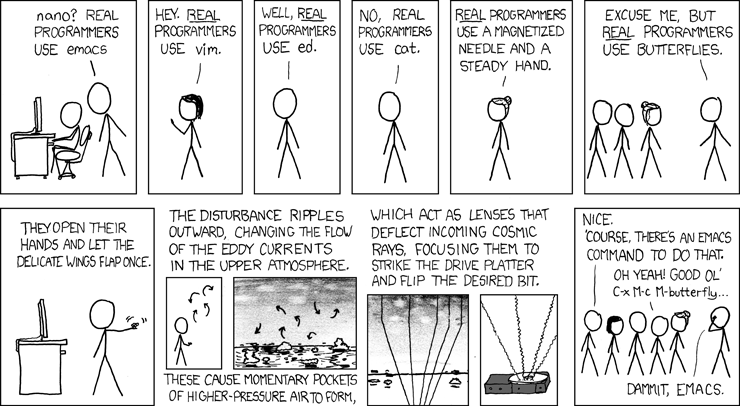
There's only 10 kinds of people, those who use Vim, and those who use Emacs.

Two months ago I don't know whether I'm wrong on choosing Vim as my editor, now I know I made a right decision, one of those few right decisions in my life.

Emacs can do everything, except editing texts, everyone knows it. But I didn't expect that I can't simply *copy a line* before I learned to use it. I can copy a line by press y twice in Vim by one finger while the other hand is filling my mouth with cookies; I need to move the cursor to the beginning of a line, press C-S-e, then press M-w to copy the damn line.

Of course I can write a macro and map the copy-line macro to my favorite keys. Yes, I can also write a text editor myself. Those two doesn't have much differences, no?

Be serious: I really wrote a macro to do that, the problem is when I tried to map it to some key I failed - there's no reasonable key combination left for me to use. C-y? that's for yank, C-c? that's a common prefix, etc. etc. I don't want to match copy-line to something like C-c C-t C-y, that just won't save my time and stupid.

Luckily Emacs do leave some key combination possibilities for me, so I can quick access find file/buffer functions. I'd say ido is really awesome, that's what I miss when I switch back to Vim. Vim lacks a decent file navigator. FuzzyFinder is cool, but it's turtle slow on large project.

I also miss ruby-test-mode, which can do exactly the same thing but faster than my little rubytest.vim.

Emacs follows totally different philosophy than Vim: Emacs included everything in itself, while Vim leave everything but editing to others. An example is Tramp. Tramp is really cool because you can prefix the file name with 'su::/' or 'su:root@hostfoo' when you want to edit a file you have no privileges or on a remote server, it's not convenient to do the same thing in Vim. But I found myself more like to open a terminal and sudo vim /etc/hosts. (btw. emacs in console sucks.) I believe Emacs fits certain people, people who like to do everything in one place.

Sometimes I think Emacs is for people who're using poor window manager. Because if you're using something like Gnom's default metacity, it's hard to create a new console, do something there while reading stuff in your text editor, then switch back to your editor. In short, most window managers doesn't allow you to manipulate layout between your editor and task windows easily. But if you're using tiling window manager like XMonad, I think Vim is the best fit because you can always do something in a new window easily while looking at your editor.

Emacs is cool. I just like Vim more.
Aug 25, 2010

Find missing git ref

I was a fool this morning: I rsynced old source code from my macbook to my new thinkpad w510. I have been working on the new thinkpad since Tuesday, without a push to github (ye, fool again), so all recent works exist only on thinkpad. After the rsync, I found the last commit in my git repo is committed 2 days ago ..

After a period of a mix of jump/cry/smoke/hit walls with my head/... I calmed down. Git saves any new file after you commit, it also save the tree and commit as object files, then it modify the ref to point to the new commit file. Rsync only ruined my refs, overwrite them to point to the old commit file, but the new source file, tree, commit should be still there on my dear harddisk. If I can find the last commit file of yesterday, then modify the ref to that commit manually, I may get all my changes back!

First I need to list all object files related to the yesterday's last commit. A while later I find them with:

cd .git
find . -newer <the newest file in current corrupted repo> -type f | xargs ls -l | grep object | grep "Aug 25 19:09" | awk '{print $9}'

The result is like this:

./objects/0d/34526c4149e4c89c436a058c66d1b69850dcea
./objects/0d/3d1caf38f65e6b7f2b7b693d721b66c6cda45d
./objects/0e/e7efbe5eeb7a320c09046011e9fc5e10e51a88
./objects/36/d3fdab703e5e080bf63bb76c069fa51a456a24
./objects/59/3371c18e1657d786265b46deb747f3d8cc8d00
./objects/76/3da4c776fae22d4cbee789703790f81fcfaed5
./objects/a0/9a140235ce52747157a6b199c99a464a5545a4
./objects/b1/a080cda86596501ee5bd88181c89fae1d5f07d
./objects/bb/a640a7830fafa3d9ae352a2b060df600a4d5e7
./objects/cb/ddce9d6079a720e13492c4ea055fb61b6e908b
./objects/e3/5a4ba7d374dd96f70a763d128ac849be173b86

The next step is to check the contents and find the commit in these object files. I tried with `git cat-file` first, but it just report "fatal: Not a valid object name 3fc43a817252e031f6d0c387930539b4c613bc" again and again, because the new object is not in the old repo really.

After a google around I found a one-liner python script to inspect the content of object file, that's what I need exactly:

python -c 'import sys,zlib; sys.stdout.write(zlib.decompress(open(sys.argv[1]).read()))' <path-to-object-file>

Next is easy: I just checked each object file manually, and found the lovely commit object file at the 9th try:

commit 232tree b1a080cda86596501ee5bd88181c89fae1d5f07d
parent 09f4a0cd1374d848bffffba6c02fa6830aea587a
author Jan <j@xxxxxxxx.xx> 1282734563 +0800
committer Jan <j@xxxxxxxx.xx> 1282734563 +0800

The file name of the commit is ./objects/bb/a640a7830fafa3d9ae352a2b060df600a4d5e7, so I just modified the content of refs/head/branch-name to bba640a7830fafa3d9ae352a2b060df600a4d5e7.

The last step is go back to the repo, clean the repo with 'git reset --hard' because the files are still in old revision. Then everything just come back!

Jul 1, 2010

Universal Quantification, Bound and Existential Quantification

Universal quantification is usually not very useful. Inside the body of a universal quantified function, what you know about the argument is very general, because the argument can be *any* type. Suppose you're writing a function with type *->Int, what do you think the function can do? The only implementation I can think of is a constant function:

(pseudo codes)


f1 :: [forall a] a -> Int
f1 x = 1


In contrast, existential quantified functions are very useful, because there're always *some* types can do certain things. Use the same example:


f2 :: [exist a] a -> Int
f2 x = length x


I can do nearly anything inside f2, because there's always some x will satify the operations applied on them.

You should notice that only functions or Bottom can have universal quantified type.

Bound helps universal quantification a lot. When you give a bound to universal quantification, you give it extra informations.

May 6, 2010

Ruby 1.8.7 and openssl 1.0.0

Archlinux upgrade openssl from 0.9.8 to 1.0.0 recently, which caused a big headache for me: all ruby distributions, except the latest ruby source code in svn, failed to compile with the new openssl, e.g. (compile error of 1.8.7):

ossl_ssl.c: In function ?ossl_sslctx_get_ciphers?:
ossl_ssl.c:626:19: error: ?STACK? undeclared (first use in this function)
ossl_ssl.c:626:19: note: each undeclared identifier is reported only once for each function it appears in
ossl_ssl.c:626:25: error: expected expression before ?)? token
ossl_ssl.c:629:47: error: expected expression before ?)? token
ossl_ssl.c:629:47: error: too few arguments to function ?sk_value?
/usr/include/openssl/stack.h:80:7: note: declared here
ossl_ssl.c: In function ?ossl_ssl_get_peer_cert_chain?:
ossl_ssl.c:1199:5: warning: passing argument 1 of ?sk_num? from incompatible pointer type
/usr/include/openssl/stack.h:79:5: note: expected ?const struct _STACK *? but argument is of type ?struct stack_st_X509 *?
ossl_ssl.c:1202:2: warning: passing argument 1 of ?sk_value? from incompatible pointer type
/usr/include/openssl/stack.h:80:7: note: expected ?const struct _STACK *? but argument is of type ?struct stack_st_X509 *?
ossl_ssl.c: In function ?ossl_ssl_get_cipher?:
ossl_ssl.c:1224:12: warning: assignment discards qualifiers from pointer target type
make[1]: *** [ossl_ssl.o] Error 1
make: *** [all] Error 1

Here's a patch for 1.8.7, it's a modified version of this. Copy and save it as openssl.patch in 1.8.7 source directory, run 'patch -p0 < openssl.patch' and recompile, there should be no errors anymore.

Mar 25, 2010

GoF's refactoring draft of the old 23 design patterns

* Interpreter and Flyweight should be moved into a separate category that we referred to as "Other/Compound" since they really are different beasts than the other patterns. Factory Method would be generalized to Factory.

* The categories are: Core, Creational, Peripheral and Other. The intent here is to emphasize the important patterns and to separate them from the less frequently used ones.

* The new members are: Null Object, Type Object, Dependency Injection, and Extension Object/Interface (see "Extension Object" in Pattern Languages of Program Design 3, Addison- Wesley, 1997).

* These were the categories:
  + Core: Composite, Strategy, State, Command, Iterator, Proxy, Template Method, Facade
  + Creational: Factory, Prototype, Builder, Dependency Injection
  + Peripheral: Abstract Factory, Visitor, Decorator, Mediator, Type Object, Null Object, Extension Object
  + Other: Flyweight, Interpreter

via

Mar 10, 2010

[ANN] Rubytest.vim 1.0.0 Released

Rubytest.vim is a vim (http://www.vim.org) plugin, which helps you to run tests/specs/features in vim, in order to accelerate your red-green development circle.

Within this realease, rubytest.vim supports almost all popular TDD/BDD frameworks in ruby community: testunit, rspec, shoulda, cucumber ...

Happy hacking!

Changelog
---------

* Support cucumber features
* Support rspec drb mode
* Serveral bug fixes

Get it here: http://www.vim.org/scripts/script.php?script_id=2612

Feb 28, 2010

TokyoTyrant vs MongoDB vs CouchDB, simple benchmarks

Jeffery Zhao published a simple benchmark of 2 'NoSQL' databases recently. In that article only basic CRU operations are compared. On macbook unibody+osx, which is the platform Jeff use, MongoDB got slightly better scores than TokyoTyrant on almost every aspect.

We're very interested in CouchDB these days, so I cloned Jeff's benchmark suite, added scripts for CouchDB, and ran the benchmark on my platform, macbook unibody+archlinux again. However the result is really interesting - it's totally the opposite - TokyoTyrant is much more faster than MongoDB on my box.

Results:


CouchDB is really slow compared to TT or MongoDB, so I just give up it after serveral round.

The only difference between Jeff's and mine platform seems operating system: he use OSX while I use linux. I'm not sure whether this is the reason we get different results, or because TT is well optimized by gcc on linux?

Try it yourself: Simple NoSQL Bench (The suite is written in Ruby)

update: After changed from Net::HTTP to Curb, couchdb benchmarks improved about 1/3. Config couchdb [uuids] algorithm to sequential (in default.ini) has no effect on result. All 3 drivers connect to database through network, but only couchdb use http protocol, this is a bottleneck, or, trade off.